
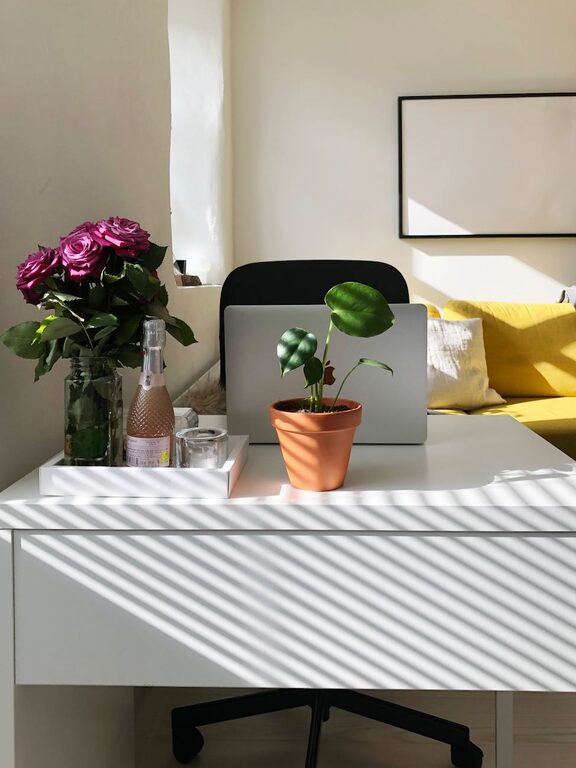
Creating a home workspace that balances comfort and productivity is key to enjoying your remote work or study time. A cozy environment helps reduce stress and keeps you motivated, while a well-organized setup ensures you stay focused and efficient. Whether you have a dedicated room or just a small corner in your home, these tips will guide you in building an ideal space for working from home.
1. Choose the Right Location
Consider Natural Light
Natural light is one of the best elements for a pleasant workspace. Try to set up near a window, which can boost your mood and reduce eye strain. If natural light is limited, opt for a bright, soft white desk lamp to keep your space well lit.
Minimize Distractions
Pick a quiet spot away from household noise or busy areas. If this isn’t possible, noise-canceling headphones or soft background music can help you stay focused.
2. Invest in Comfortable and Functional Furniture
Ergonomic Chair and Desk
Comfort is key when working for hours at home. Invest in a supportive chair with adjustable height, backrest, and armrests. Your desk should be at a height that allows your forearms to be parallel to the floor while typing.
Desk Size and Layout
Choose a desk size suitable for your work style. Ensure there’s enough space for your computer, paperwork, and any tools you need daily. Keep frequently used items within arm’s reach to minimize interruptions.
3. Personalize Your Workspace
Add Cozy Textiles
Incorporate soft cushions, throws, or rugs in your workspace to create warmth and softness. These elements make the area inviting and can lift your spirits during work breaks.
Display Inspiring Decor
Include plants, artwork, or photos that make you feel happy and motivated. Greenery, in particular, can improve air quality and create a calm atmosphere.
4. Organize for Efficiency
Use Storage Solutions
Keep your workspace tidy with shelves, drawers, or desktop organizers. Decluttering reduces stress and helps you find items quickly.
Cable Management
Keep cords and cables neat using clips, boxes, or sleeves. This prevents tangling and maintains a clean look.
5. Optimize Technology Setup
Invest in Quality Equipment
Reliable technology improves productivity. Use a good-quality monitor, keyboard, and mouse. An external webcam and microphone can enhance video calls.
Manage Screen Glare
Position screens to avoid reflections and glare from windows or lights. Consider using an anti-glare screen protector if necessary.
6. Incorporate Break Zones
Create a Small Relaxation Area
If space allows, have a small corner with a comfortable chair or cushion where you can stretch or take short breaks. Moving away from your desk helps refresh your mind.
Use Timers or Apps
Set reminders to stand, stretch, or briefly change tasks. Taking regular breaks maintains focus and reduces fatigue.
7. Maintain Good Air Quality and Temperature
Ventilation
Ensure your workspace is well ventilated. Fresh air helps prevent drowsiness and keeps you alert.
Comfortable Temperature
Keep the room temperature comfortable for working. Use fans, heaters, or humidifiers as needed.
8. Establish a Routine
Set Clear Work Hours
Define your working hours to create boundaries between work and personal time. This improves work-life balance and helps your mind shift gears effectively.
Start Your Day with Preparation
Begin by tidying your workspace and reviewing your to-do list. A clear plan sets the tone for a productive day.
—
By thoughtfully setting up your home workspace, you can enjoy a cozy atmosphere that supports focus and efficiency. Small changes like better lighting, ergonomic furniture, and organization make a big difference in your daily work experience. Remember, comfort and productivity go hand in hand, so design a space that works best for you. Happy working!